


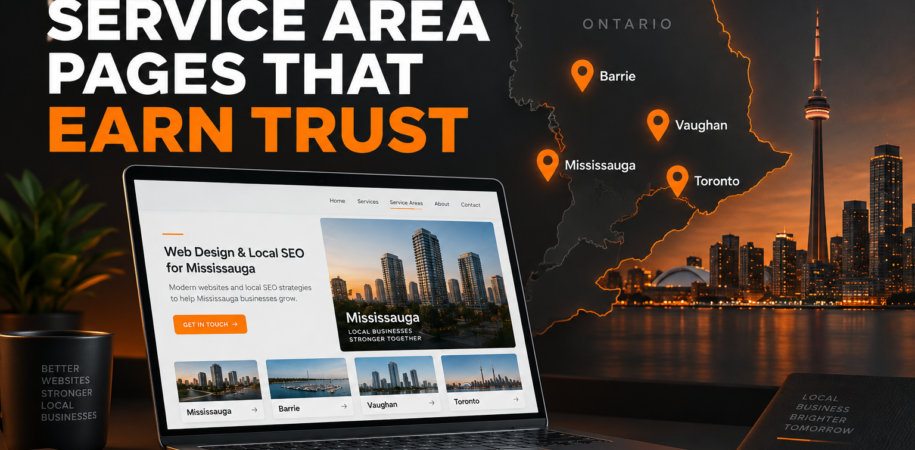

A service-area page should do more than replace “Mississauga” with “Barrie” in the same paragraph. When every location page says essentially the same thing, visitors learn very little about whether the business actually understands their area—and search engines have little reason to treat each URL as independently useful.
That does not mean an Ontario service business should avoid location pages. A well-built page can answer local questions, explain coverage, show the right services and guide a nearby customer towards a call or estimate. The key is to create the page for people in that community, not simply to multiply city keywords.
This service area landing page checklist will help contractors, home-care providers, professional services and other local businesses decide which pages deserve to exist and what each page should contain.
What is a service-area landing page?
A service-area landing page is a page dedicated to a city or community where a business genuinely provides services. It is different from a physical-location page. A business may serve Vaughan without having an office there, while a true Vaughan location page could include a staffed address, local hours and location-specific contact information.
Keep that distinction clear across your website and Google Business Profile. Google’s current guidance asks businesses to describe their location or service area accurately. Service-area businesses can define coverage by city, postal code or another area, and Google recommends being specific about the places actually served. See Google’s service-area guidance.
First decide whether the page deserves to exist
Before creating a URL, confirm that the area represents a real part of the business. Ask:
- Do we actively accept customers in this community?
- Are the services, scheduling, travel expectations or customer questions meaningfully different here?
- Can we provide accurate local information that is not already covered on another page?
- Will someone landing on this page receive a useful answer before being asked to contact us?
If the only planned difference is the city name, keep the area on a broader coverage page until you have enough substance for a dedicated page. Ten strong pages are more useful than fifty near-duplicates.
Google’s spam policies identify doorway abuse as pages created to rank for similar queries while funnelling visitors to the same destination. Its policy also addresses scaled content created mainly to manipulate rankings rather than help users. A location-page strategy should therefore begin with usefulness and genuine coverage, not a list of every municipality within driving distance. Review Google’s current Search spam policies.
Service area landing page checklist
1. Give the page one clear local purpose
Choose a primary service and audience for the page. “Home renovation services in Barrie” is clearer than a page trying to rank for renovations, web design, cleaning and landscaping at once. The title, main heading and opening paragraph should make the offer and area obvious without repeating the phrase unnaturally.
2. Write a genuinely local introduction
A useful introduction connects the service to the community without pretending to know every street. Explain who the business helps, what is available in the area and how service is arranged. Use recognizable neighbourhood or regional references only when they are accurate and relevant.
3. Show exactly what is available in that area
List the services customers can actually request. If some offerings are available in Mississauga but not in Barrie, say so. Link to the detailed service pages rather than copying their entire text. This keeps the location page focused while helping visitors understand the next step.
Use descriptive internal links. “Explore our local SEO services in Mississauga” is more useful than a vague “click here.”
4. Explain coverage and response expectations accurately
State the communities, postal areas or neighbourhoods served when that information is confirmed. If appointments are remote, mobile or on-site, make that clear. Do not imply that a staffed office exists where there is only a service area.
5. Add local proof you can verify
Useful proof may include a relevant project, an original photo, a case study, local licensing information, a team member who serves the area or a genuine review connected to that service. Do not invent a local project or relocate a general testimonial just to make the page appear more specific.
6. Answer the questions people ask before contacting you
Build a short FAQ from real sales conversations. Depending on the business, useful questions may include:
- Do you travel to my neighbourhood?
- Is an on-site assessment required?
- Which services are available in this city?
- How do I prepare for the first appointment?
- Do you serve homes, businesses or both?
7. Make the next action easy on mobile
Place one primary call to action near the top and repeat it after the main information. Use a tap-to-call phone number, a concise estimate form or a booking button that matches how the business handles enquiries. Keep forms short and label required fields clearly.
Google uses the mobile version of a page’s content for indexing and ranking, so the mobile page should contain the same primary information as desktop. Test headings, links, forms, accordions and map embeds on a phone. Google’s mobile-first indexing guidance specifically advises keeping important content available on mobile.
8. Use unique titles, descriptions and on-page headings
Each worthwhile page needs its own SEO title, meta description, main heading and introduction. The metadata should reflect the real offer, not a chain of nearby city names. Keep the URL short and readable, such as /roof-repair-barrie/ or /home-care-vaughan/.
Do not create several URLs that target tiny wording variations of the same service and area. Consolidate overlapping pages and choose one strong destination.
9. Add structured data only when it matches the visible page
Structured data can help Google understand business details, but it is not a substitute for useful visible content. Google says markup should describe the page it appears on and should not include information hidden from visitors.
Use LocalBusiness information carefully. A page about a service area should not claim a physical address that does not exist. For a genuine staffed location, accurate details may include its name, address, telephone and opening hours. Follow Google’s LocalBusiness structured data documentation and test the final markup.
10. Connect the page to the rest of the website
A location page should not be an orphan. Link to it from a logical service-area hub, footer or relevant service page. Link back to core services, contact information and useful resources. A consistent structure helps people navigate between the service they need and the place where they need it.
What to avoid on Ontario location pages
- Copying one page and changing only the city name.
- Listing an office address where customers cannot visit or the business is not staffed.
- Stuffing nearby cities into every heading and paragraph.
- Using identical reviews, FAQs and photos across dozens of pages.
- Creating pages for places the business does not realistically serve.
- Publishing pages without internal links, a clear CTA or a mobile test.
Google’s people-first content guidance encourages site owners to create material for an existing audience and demonstrate first-hand expertise. That is a useful standard for every local page: would this URL still help a customer if search rankings did not exist?
How to measure whether the page is useful
Do not judge the page by ranking alone. Track relevant organic impressions and clicks in Search Console, then connect them to calls, form submissions or booked consultations where your analytics setup allows it. Review which local questions bring visitors to the page and update the content when services, coverage or customer needs change.
Frequently asked questions
How many service-area pages should a business create?
There is no ideal number. Create pages only for genuine service areas where you can provide distinct, useful and maintainable information.
Does every city need completely different services?
No. Core services may be the same, but the page should still add local value through accurate coverage, relevant questions, proof, process details and a clear path to contact.
Can a service-area page use the same business phone number?
Yes, when that is the correct contact number. Consistency is better than inventing a local number. Explain how enquiries for that area are handled.
Will a location page guarantee a first-page ranking?
No. A useful page supports local visibility, but rankings depend on many factors. Avoid any strategy that promises a position or relies on mass-produced pages.
Build fewer pages with more local value
A strong service-area page answers a simple question: “Can this business help me here, and what should I do next?” Accurate coverage, specific service information, trustworthy proof, helpful FAQs and an easy mobile CTA provide a much better answer than repeated city keywords.
Web Design Mate Inc. builds WordPress and Elementor landing pages and supports local SEO for Ontario small businesses. If your current location pages are thin, duplicated or difficult to manage, request a free estimate, call 437-227-3938, or email saqib@webdesignmate.ca.

